Most WordPress sites leak link equity through structural failures that standard SEO audits miss. These aren't broken links or missing keywords. They're architectural mistakes baked into how pages connect, how anchors distribute, and how crawlers navigate your site.
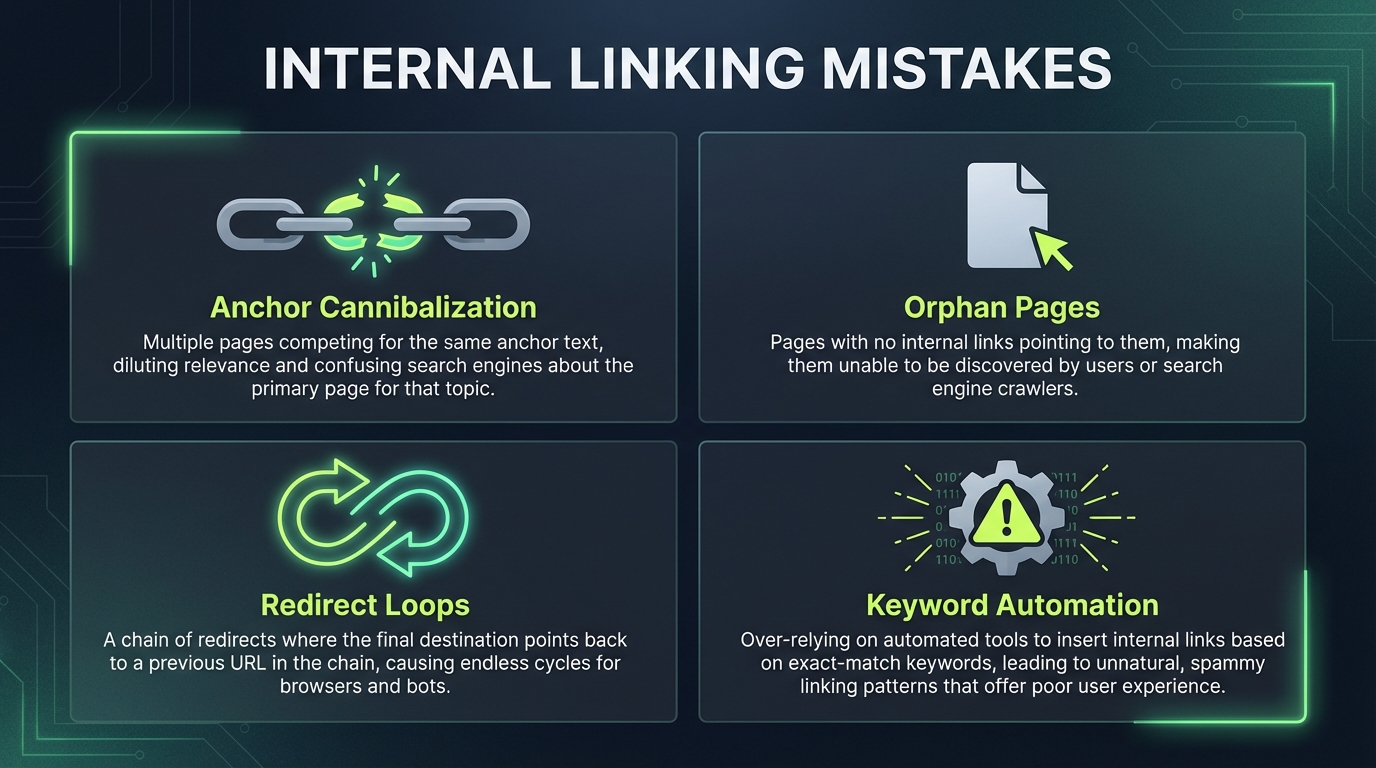
This guide details seven technical internal linking failures that drive indexation problems, crawl budget waste, and ranking stalls on WordPress. Each mistake comes with a specific workflow to identify and fix it at scale.
Comparison table: 7 internal linking mistakes at a glance
| Mistake | Root cause | Detection method | Fix complexity | Crawl impact |
|---|---|---|---|---|
| Anchor text cannibalization | Multiple URLs share identical anchor text | Grep internal links against anchor cluster maps | Medium | Indirect |
| Orphan pages masked by taxonomy | No contextual internal links, only auto-generated category lists | Screaming Frog crawl filtered by link source | High | Direct |
| Flat architecture beyond depth 4 | Weak site structure, excessive link depth | Crawl tree analysis by URL path depth | Medium | Direct |
| Keyword-matching automation | Legacy plugins exact-string-match every keyword instance | Plugin audit, link anchor vs content term frequency | High | Severe |
| Internal nofollow misuse | Outdated PageRank sculpting assumptions | Link attribute audit across site | Low | Direct |
| JavaScript client-side rendering | Links load only after JS execution | Google URL Inspection tool, compare downloaded vs rendered HTML | High | Severe |
| Multi-hop redirect chains | Slug updates accumulate 301 chains over years | Server log parsing for 301 sequences | Medium | Direct |
Why semantic search exposed old internal linking tactics
Internal linking strategy built on exact-match keyword volume and raw link density no longer works as it once did. Search used to reward quantity: more links to money pages correlated with higher rankings. Google's move toward semantic relevance has changed what those signals mean.
When Google processes your site, it extracts contextual relationships between pages. A link from a post about "WordPress performance" to a post about "server optimization" signals topical relevance. A link from the same source to "WooCommerce plugins" signals topic drift, even if the anchor text contains the target page's main keyword.
Over-relying on identical anchor text or artificial link density creates a site architecture that looks mechanically optimized rather than editorially coherent. Each internal link should be justifiable by the content surrounding it. That principle is the foundation for the seven fixes below.
Mistake 1: Anchor text cannibalization across content clusters
Anchor text cannibalization occurs when multiple different URLs on your site receive the same anchor text from internal links. If your homepage links to both /products/blue-widgets and /products/red-widgets using the anchor "shop our widgets," Google has no clear signal about which page owns the semantic value for that phrase.
This surfaces most visibly across topic clusters. A WordPress blog about caching might have 30 posts that touch the subject. If all 30 receive internal links with the anchor "WordPress caching," each link dilutes the signal to the others rather than reinforcing a single authoritative destination.
To detect cannibalization:
- Export all internal links from Screaming Frog's link report.
- Filter to live URLs on your domain only.
- Use a pivot table to group links by anchor text and count unique destination URLs per anchor.
- Any anchor pointing to more than one URL is a cannibalization flag.
The fix is semantic mapping. Assign one distinct anchor variation to each target page within your topic cluster. If you have 30 caching-related posts, create 20-plus distinct anchor variations: "cache invalidation best practices," "WordPress object cache configuration," "Redis caching on WP Engine," "lazy loading images without caching issues." Each maps to a single destination URL, establishing unique semantic pathways rather than fragmented authority.
Maintain a spreadsheet anchor inventory: list each target URL, its assigned anchor variation, and the source pages that should link to it. Review it whenever you publish new content in the cluster.
Mistake 2: Masking orphan pages with automated taxonomy links
Orphan pages are indexable URLs that receive zero contextual internal links from editorial content. They exist on your site and Google can crawl them, but nothing in your editorial content points to them.
Many WordPress sites mask orphan pages by relying on auto-generated category and tag archive links in footers or sidebars. A category archive for "WordPress Tutorials" auto-generates links to every tutorial post, which can make those posts appear well-linked in a surface audit. But category links are navigation, not editorial endorsement. They don't establish the semantic authority that a contextual link from a pillar post or cluster hub does.
To find true orphans:
- Run a full Screaming Frog crawl of your site.
- Export the crawl data and filter to URLs with zero inbound links, or with inbound links sourced only from footer, sidebar, or taxonomy templates.
- Cross-reference with Google Search Console's "Discovered - not indexed" and "Excluded" reports, though crawler data is more precise.
The fix is contextual internal linking, not taxonomy reliance. For each orphan, identify two or three thematically related hub pages or pillar posts that should logically reference it. Write a one-sentence contextual link into the body of those pages using an anchor that signals the orphan's topic. If the orphan is a city-specific service page, the hub link might read: "We serve clients in Portland, Seattle, and Denver" with Denver linked to the Denver service page.
After adding contextual links, use Google Search Console's URL Inspection tool to request indexing for orphaned pages that have been sitting unlinked for an extended period. The new internal link and the manual request together signal to Google that the page is worth crawling.
Mistake 3: Flat site architecture and extreme link depth
Link depth is how many clicks a page is from your homepage. A page linked from the homepage is depth 1. A page linked from a depth-1 page is depth 2. Googlebot allocates crawl budget in proportion to perceived page importance, and depth is one of its primary signals. Pages buried deep in your hierarchy receive fewer crawl cycles, which delays indexation and slows updates reaching Google's index.
Flat WordPress architectures, common in blogs relying solely on chronological post listings, often push content five or six clicks deep. A homepage links to the blog archive, the archive lists categories, categories filter by month, and individual posts are finally reachable. That's five clicks. In a hub-and-spoke structure, the homepage links directly to semantic hubs, and hubs link directly to related posts. Most content sits at depth two or three.
Google and most technical SEO practitioners recommend keeping key pages within three clicks of the homepage for crawl efficiency. Beyond that, there's no universal formula that maps total page count to a specific depth ceiling. What's consistently recommended is to audit your depth distribution and ensure the pages you most want crawled and indexed are closest to the root.
To audit depth:
- Export your Screaming Frog crawl.
- Add a column counting forward slashes in each URL path as a depth approximation.
- Generate a histogram of depth distribution across your indexable pages.
- If a large proportion of your important pages sit beyond four clicks, restructure using semantic hub pages that link directly to related posts, bypassing chronological archives.
This concentrates crawl budget on your active topic areas instead of diluting it across archive pagination.
Mistake 4: Algorithmic keyword-matching automation
Legacy WordPress internal linking plugins automate links by string-matching keywords. If a page contains the phrase "WordPress SEO" and another page targets that phrase, the plugin creates a link. This approach breaks at scale for three reasons.
First, keyword matching ignores semantic context. A post about "WordPress SEO failures" contains the phrase "WordPress SEO," but linking it to a post about "WordPress SEO best practices" creates a topical contradiction, not a coherent signal.
Second, exact-match automation creates dense, repetitive link profiles. If plugin rules link every instance of a keyword, pages end up with dozens of links they didn't earn editorially, which fragments equity and can trigger over-optimization signals.
Third, the links read unnaturally. Sentences constructed around keyword matching rather than editorial need feel forced to both readers and crawlers.
To detect keyword-matching plugins:
- Export all internal links from Screaming Frog.
- Compare anchor text against the title or H1 of the destination page.
- If a high proportion of anchors reproduce the exact title wording of their destination, automated string-matching is likely active.
- Disable the plugin and audit the affected links manually.
The modern replacement is semantic analysis rather than string matching. Tools that parse page content and extract topical entities can suggest links where semantic relevance exists between pages. WPLink, for example, uses local AI processing to analyze page content and surface contextually relevant link suggestions without relying on keyword strings. That approach preserves editorial control while avoiding the fragmentation that keyword automation creates.
Mistake 5: Misusing nofollow on internal equity distribution
PageRank sculpting, the practice of applying nofollow to internal links to concentrate equity on high-value pages, was an SEO tactic that circulated in the mid-2000s and early 2010s. Google clarified in 2009 (via Matt Cutts) that it does not work as intended. Nofollow on an internal link does not redirect equity to other links on the same page. The equity from that link is simply not passed.
Here's how it actually works: a page distributes its available equity across its outbound links. Links marked nofollow do not pass equity to their destinations, but that equity is not redistributed to the dofollow links on the page either. It's gone. The remaining dofollow links each pass whatever equity they were already going to pass, unchanged. You don't gain anything on the dofollow links; you lose equity at the nofollow links.
Common mistakes that follow from this misunderstanding:
- Marking footer links nofollow as an anti-spam tactic, which blocks equity from reaching legitimate internal destinations.
- Marking category archive links nofollow, which undermines topical discovery.
- Marking "related posts" links nofollow, which defeats the purpose of including them.
Audit your internal nofollow links:
- Export all links from Screaming Frog and filter for
rel="nofollow". - For each nofollow internal link, ask: would a user benefit from clicking this?
- If yes, remove the nofollow attribute.
- If no, remove the link entirely rather than hiding it with nofollow.
The only defensible internal nofollow cases are affiliate disclosure links or links to truly off-topic content you don't want associated with your editorial signal. Use it sparingly.
Mistake 6: JavaScript link rendering failures
Headless WordPress setups, Next.js frontends, and JavaScript-heavy themes often render internal links client-side. The HTML delivered by the server contains no href targets. The browser constructs links after executing JavaScript.
Googlebot can execute JavaScript, but the process introduces discovery delays. Googlebot fetches HTML first, then places pages in a rendering queue where JavaScript is executed separately. Links that only exist post-rendering are discoverable, but they may take longer to be extracted and followed than links present in the initial HTML payload. For sites where fast indexation matters, this delay is a real crawl budget cost.
To test whether your links are client-side:
- Open Google Search Console and use the URL Inspection tool on a representative page.
- Fetch the page and compare the "Downloaded" view (raw server HTML) against the "Rendered" view (post-JS execution).
- If your internal links appear in Rendered but not in Downloaded, they're being constructed client-side.
Two fixes are available. First, server-render internal links so they're present in the initial HTML. This requires backend changes but ensures Googlebot can extract links on the first pass. Second, if server-rendering isn't feasible, manually submit critical linked URLs through Google Search Console's URL Inspection tool to frontload their indexation.
For WordPress specifically, keeping your blog on the server-rendered WordPress platform rather than decoupled from a headless API avoids this problem by default. If you're running a decoupled setup, ensure your JavaScript framework serializes internal links into the initial HTML payload.
Mistake 7: Creating endless internal redirect chains
Over years of slug updates and site reorganizations, WordPress sites accumulate 301 redirect chains. An original URL /old-post redirects to /new-post, which later redirected to /best-new-post, which points to /final-post. A chain of three or more hops costs crawl budget at the server level.
Each 301 redirect requires a separate HTTP request. A three-hop chain means Googlebot makes four requests to map a single internal link. Multiply that across hundreds of chained redirects and the crawl budget impact becomes significant, particularly on sites that publish frequently.
To detect chains:
- In Screaming Frog, enable the "Redirect Chains" report to surface loops and multi-hop sequences.
- Alternatively, parse server access logs for patterns where a single request triggers multiple 301 responses before a final 200.
The fix is flattening: update all internal links and redirect rules to point directly to the final destination. If /old-post redirects through /new-post to /final-post, change all internal links directly to /final-post and update the /old-post 301 to skip /new-post entirely.
For bulk changes:
- Export your full redirect map from your server config or redirect plugin.
- In a spreadsheet, identify all chains of length three or more.
- Determine the true final destination for each chain.
- Update both the internal links pointing to intermediary URLs and the redirect rules themselves.
- Run a fresh Screaming Frog crawl after changes to confirm chains are resolved.
How these seven mistakes were chosen
This list focuses on technical failures that affect crawlability, indexation, and link equity in ways that standard audits regularly miss. Generic advice like "use descriptive anchor text" and "fix broken links" is covered adequately elsewhere. This guide assumes you've handled those basics and need deeper architectural fixes.
Each mistake here involves a specific detection workflow and a fix that scales to sites with thousands of pages. The ordering reflects impact on crawlability: mistakes 4 and 6 affect whether Googlebot can even extract your links; the rest affect how efficiently it distributes equity once links are found.
Frequently asked questions
What's the difference between orphan pages and low-traffic pages?
Orphan pages receive zero intentional internal links from editorial content. Low-traffic pages rank poorly and receive few clicks but still have internal links pointing to them. A page can be low-traffic yet well-integrated into site structure. Orphans are architecture failures. Low traffic is usually a content quality or ranking issue, not a linking issue.
Can I use automated internal linking tools without creating keyword-matching problems?
Yes, if the tool uses semantic analysis rather than keyword matching. Tools that parse page content and extract topical entities can suggest links based on what pages are about rather than which keyword strings they contain. WPLink processes page content locally using AI models to surface contextually relevant suggestions, which avoids the artificial density that string-matching plugins create. Verify any automation tool's method before enabling it at scale.
How do I prioritize which mistakes to fix first?
Start with mistakes 4 and 6 because they affect whether Googlebot can extract your links at all. Then fix mistake 2 to ensure all content is discoverable. Mistakes 1, 3, 5, and 7 improve crawl efficiency and semantic signaling once the baseline structure is sound.
Does link depth matter more for ecommerce or blog sites?
Link depth matters more for ecommerce. Product catalogs can grow rapidly and create deep category hierarchies. Blogs grow linearly and can tolerate slightly deeper structure if semantic hubs cluster related content. An ecommerce site with tens of thousands of SKUs needs careful depth management. A blog with a few thousand posts still benefits from keeping key content within three to four clicks of the homepage, but the urgency is lower.
Should I use nofollow on internal links to legal pages or privacy policies?
No. Legal pages and privacy policies should be dofollow. They're part of your site and help establish trust signals. If you don't want them ranking for external queries, use robots meta noindex or simply don't link to them from main content. Nofollow is not the right tool for pages you want indexed but not promoted.
What's the best way to test if my links are rendering correctly after fixing JavaScript issues?
Use Google Search Console's URL Inspection tool on each critical template type: homepage, category archive, post. Fetch as Googlebot and compare Downloaded versus Rendered HTML. If links appear in both, the fix worked. If they're missing from Downloaded after a week of re-crawling, the links are still being constructed client-side and need server-rendering.
How often should I audit internal linking structure?
After any major content reorganization, site migration, or theme update, audit immediately. For ongoing maintenance, schedule audits at regular intervals using Screaming Frog or Ahrefs, with frequency proportional to how actively you're publishing and restructuring. Manual audits of thousands of links are error-prone; consistent automated crawls are more reliable.